
Screenshots
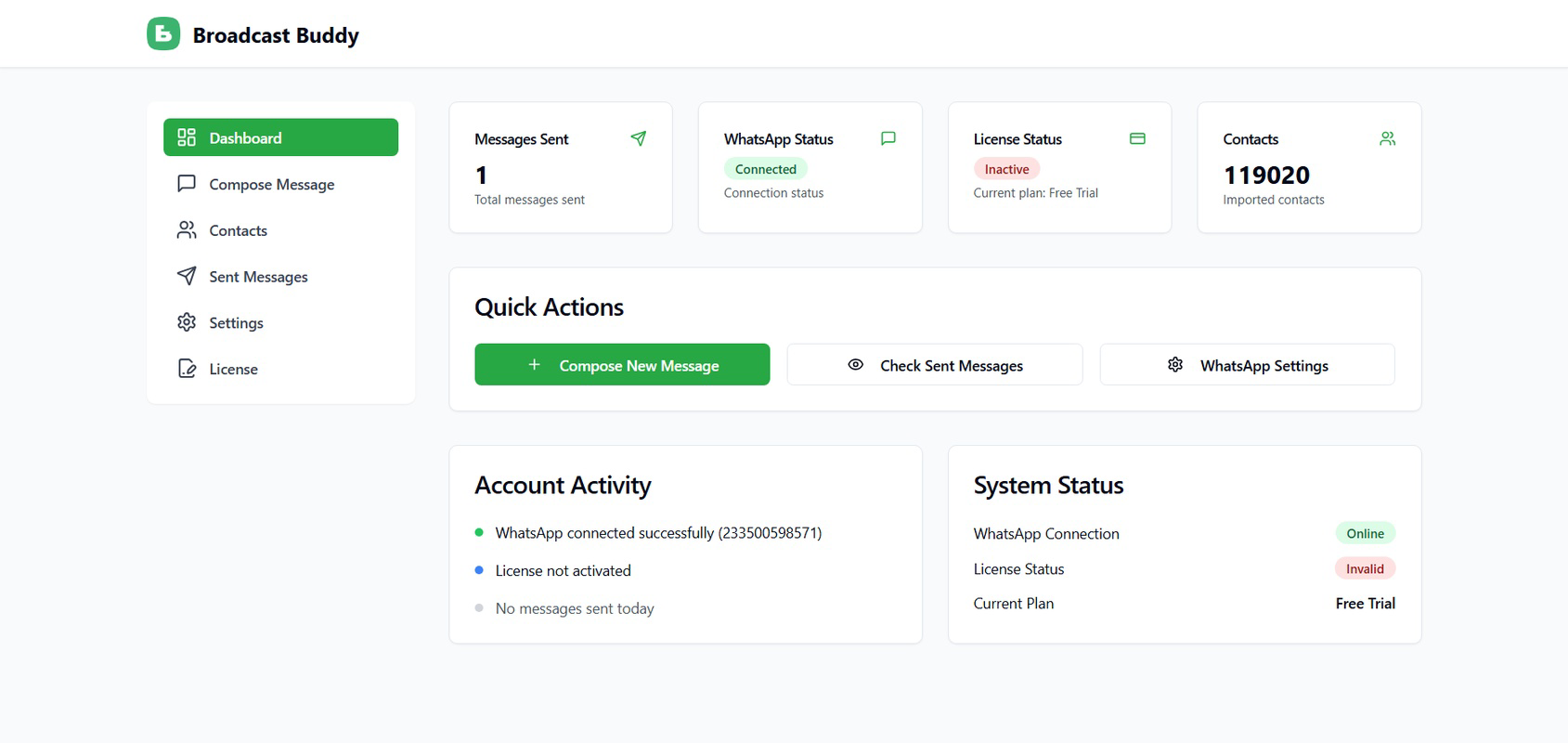
App details
- Updated
- Jun 24, 2025
- Language
- English
- Developer
- AmaduTech
- Category
- Mobile
SoftPas in:
This product is also available in the following languages:
About Broadcast Buddy
Download Broadcast Buddy – WhatsApp, bulk messaging, AI-powered, secure, fast delivery, user-friendly interface
Overview
Broadcast Buddy is a productivity-focused mobile application designed to enhance the WhatsApp messaging experience for individuals and teams. Its primary purpose is to streamline communication by enabling users to send messages to multiple contacts simultaneously, eliminating the need for manual forwarding. This functionality addresses a common inefficiency in group outreach, particularly for small businesses, event organizers, and teams managing frequent client or member updates. By automating bulk messaging, the app reduces time spent on repetitive tasks, allowing users to focus on strategic communication rather than logistical execution.
Target users include entrepreneurs, marketing professionals, community leaders, and anyone managing regular outreach through WhatsApp. The app integrates directly with WhatsApp Web, leveraging existing user accounts to maintain continuity and reduce friction. This integration also ensures that messages are sent through the official WhatsApp platform, preserving message authenticity and delivery reliability. In the broader app ecosystem, Broadcast Buddy fills a niche between messaging tools and communication automation platforms, offering a lightweight yet powerful alternative for users who prefer not to use third-party messaging services.
While the developer, Broadcast Buddy, has not provided additional background details, the app’s focus on security, speed, and usability suggests a targeted development approach. Real-world use cases include sending event reminders, sharing promotional offers, distributing meeting agendas, or updating team members on project changes. These scenarios benefit from the app’s ability to deliver messages quickly and consistently across large contact lists.
Key Features & Functionality
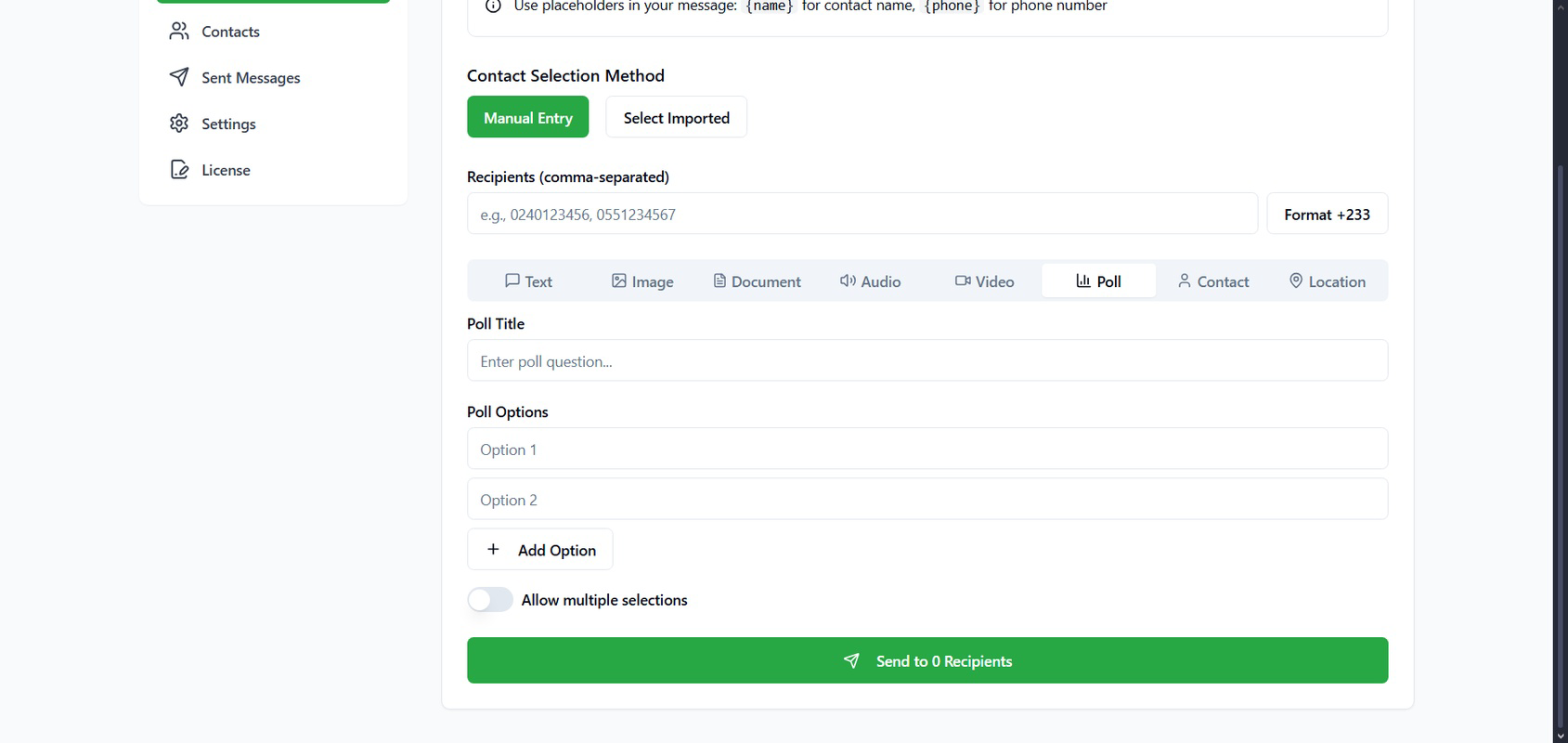
- Bulk Messaging Made Easy: Broadcast Buddy allows users to send the same message to multiple contacts at once. This eliminates the need to manually forward messages to individual recipients, reducing errors and saving time during high-volume outreach.
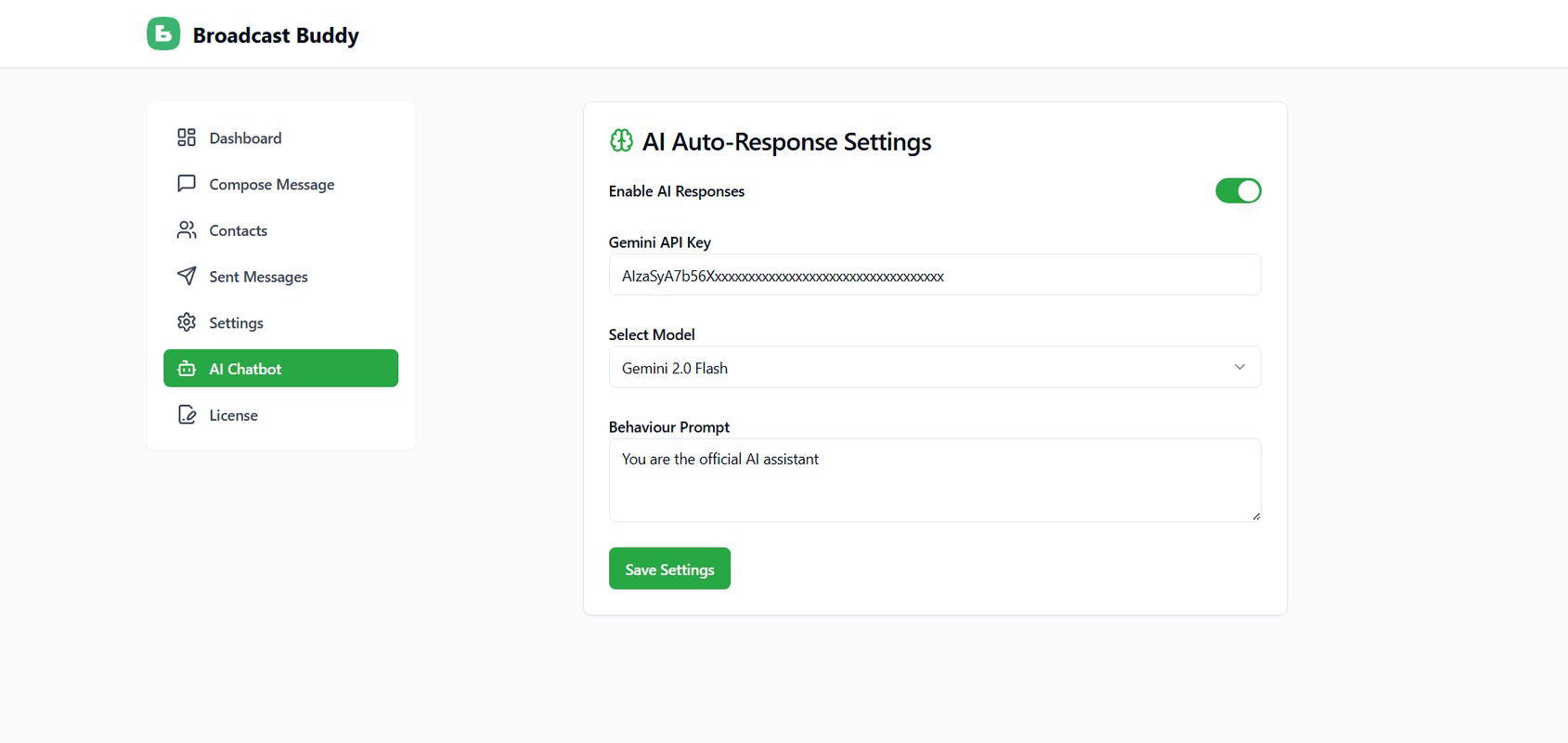
- AI-Powered Messaging: The app uses artificial intelligence to assist in generating, personalizing, and optimizing message content. This feature helps improve engagement by tailoring messages to different audiences while maintaining consistency across broadcasts.
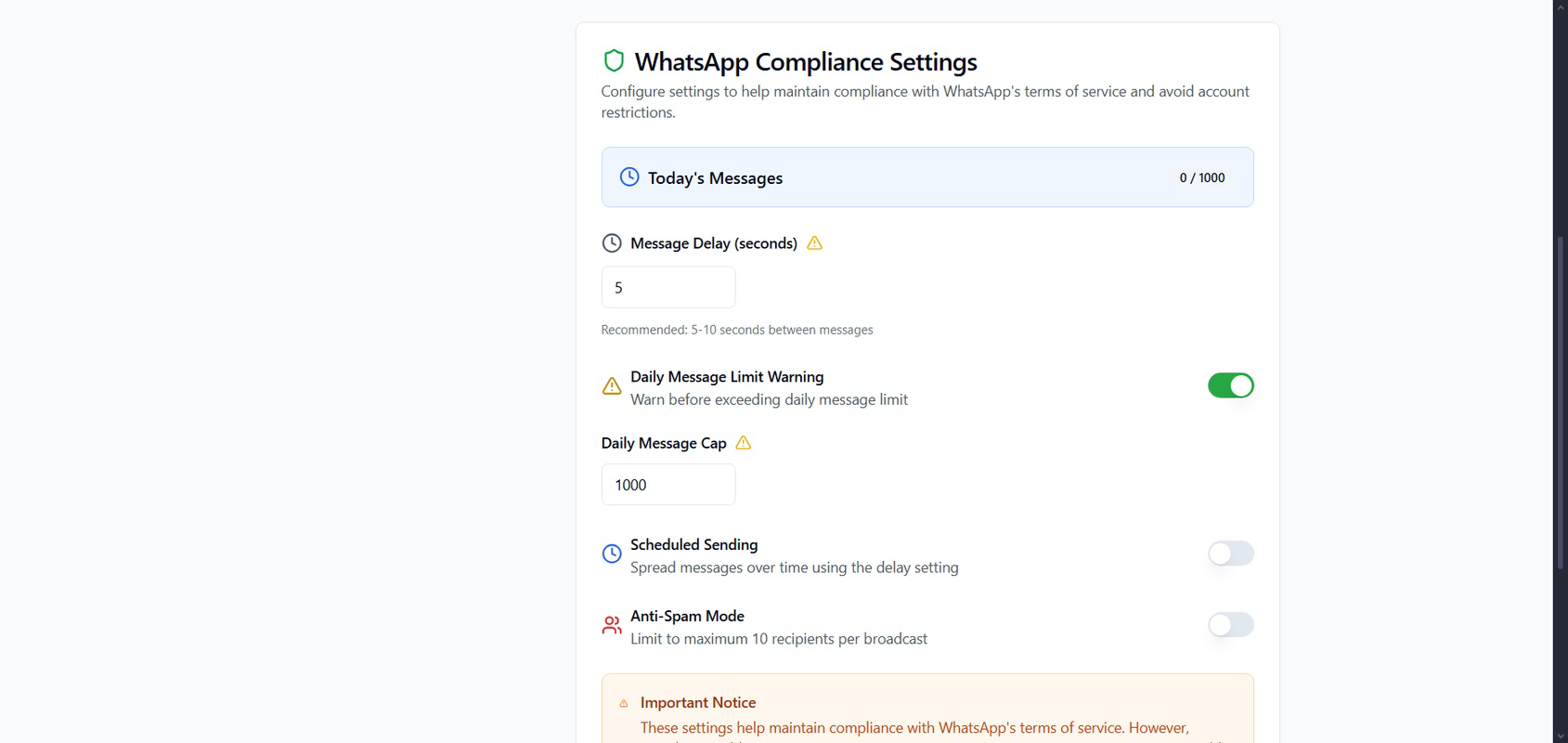
- Secure and Private: User data is not stored or shared by the app. All communications remain confidential, and message integrity is preserved through secure handling protocols, ensuring privacy during mass outreach.
- Fast Delivery: Messages are delivered near-instantly, even to large recipient groups. This capability is crucial for time-sensitive communications such as urgent alerts, last-minute updates, or event notifications.
- User-Friendly Interface: Designed for ease of use, the interface integrates seamlessly with WhatsApp Web. Its intuitive layout allows users of varying technical skill levels to navigate and operate the app efficiently from their desktop or mobile device.
For example, a small business owner can use Broadcast Buddy to send a promotional message to 100 customers with a single click. An event coordinator can distribute venue changes to a large group of attendees without delay. The AI feature can help personalize the message with recipient names or locations, increasing perceived relevance and response rates. These real-world applications highlight the app’s practical value in daily communication workflows.
Interface, UX & Performance
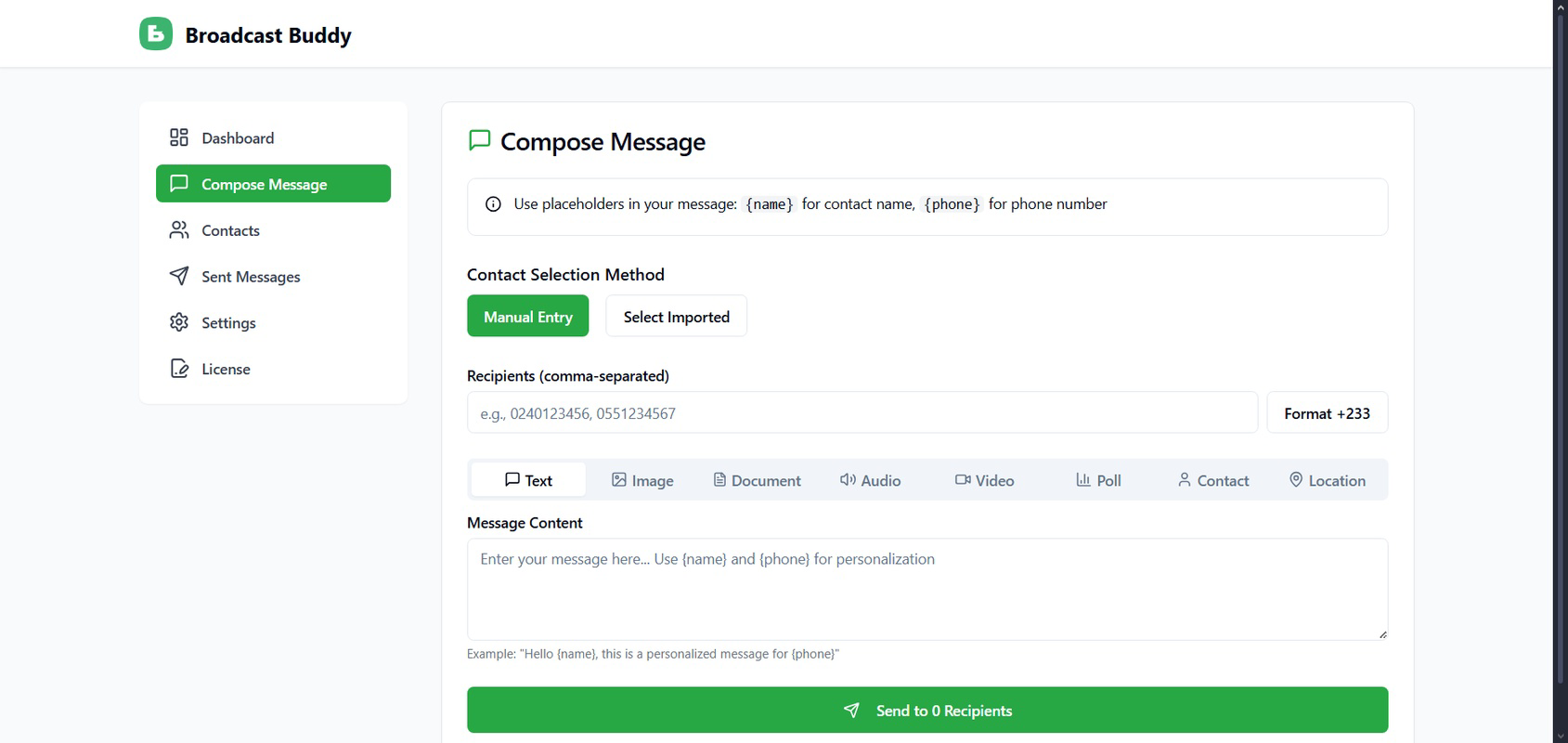
Broadcast Buddy features a clean, minimalist interface that prioritizes clarity and efficiency. The layout is optimized for quick access to core functions such as message composition, recipient selection, and broadcast initiation. Navigation is straightforward, with logical grouping of tools and minimal on-screen clutter, contributing to a smooth user experience. The design aligns with modern mobile UX standards, emphasizing usability over visual complexity.
Although the developer did not list formal performance metrics, the app’s reported size of 12.5 MB suggests a lightweight footprint, which typically correlates with efficient resource usage. This size is well-suited for devices with limited storage or older hardware. The app’s integration with WhatsApp Web implies that performance is largely dependent on the stability of the web connection and the host device’s browser performance.
Responsiveness is expected to be strong given the app’s focus on speed and delivery. Users should experience minimal lag when selecting contacts, composing messages, or initiating broadcasts. Stability is likely maintained through consistent use of official WhatsApp Web APIs, which reduces the risk of crashes or disruptions. However, specific compatibility details with older Android versions or low-end devices were not disclosed.
Platform Compatibility & Technical Requirements
Broadcast Buddy is available exclusively on the Android platform. The current version is 1.0.0, with a file size of 12.5 MB. This compact size indicates a streamlined design with minimal background processes, making it suitable for a wide range of Android devices.
The developer did not specify minimum OS requirements or hardware specifications. As such, compatibility with specific Android versions or device categories cannot be confirmed. Users are advised to ensure their device meets standard Android system requirements for running web-based applications and third-party tools. The app’s reliance on WhatsApp Web means that a stable internet connection and a compatible web browser are essential for full functionality.
Pros and Cons
Pros
- Efficient bulk messaging without manual forwarding
- AI-powered message optimization for better engagement
- Strong focus on user privacy and data security
- Fast message delivery even for large groups
- Intuitive interface integrated with WhatsApp Web
- Free to download and use
Cons
- Platform availability limited to Android only
- Specific OS and device compatibility details not provided
- Reliance on WhatsApp Web may affect performance on older devices
- No information on update frequency or future feature roadmap
- Limited visibility into technical architecture or backend processes
FAQ
Is Broadcast Buddy safe to use with my WhatsApp account?
Broadcast Buddy emphasizes user privacy and does not store or share user data. Messages are sent directly through WhatsApp Web, ensuring that your account remains secure and your information confidential.
Can I use Broadcast Buddy on iOS devices?
The app is currently available only on Android. There is no official iOS version at this time.
How does the AI-powered messaging work?
The AI feature helps generate, personalize, and optimize message content. It can tailor messages based on recipient data or context, improving relevance and engagement without requiring manual input for each message.
Do I need a WhatsApp Web account to use the app?
Yes, Broadcast Buddy integrates with WhatsApp Web. You must have an active WhatsApp account and access to WhatsApp Web on your device to use the app.
Is Broadcast Buddy free to download and use?
Yes, the app is currently free to download and use. No in-app purchases or subscription fees are required at this time.
Final Thoughts
Broadcast Buddy stands out as a practical, secure, and efficient tool for anyone seeking to improve their WhatsApp communication workflow. Its ability to send bulk messages with speed and precision, combined with AI-driven personalization and a strong privacy stance, makes it a valuable asset for small businesses, teams, and organizers. The user-friendly interface ensures that even non-technical users can leverage its full potential without a learning curve.
While the app is currently limited to Android and lacks detailed technical disclosures, its core functionality delivers clear benefits. For users who rely on WhatsApp for outreach, Broadcast Buddy offers a reliable, free solution to streamline messaging efforts. Its focus on performance, security, and usability positions it well within the productivity app category.
Download Broadcast Buddy now
Guides & Tutorials
How to install Broadcast Buddy
- Click the Download button above.
- Once redirected, accept the terms and click Install.
- Wait for the Broadcast Buddy download to finish on your device.
How to use Broadcast Buddy
This software is primarily used for its core features described above. Open the app after installation to explore its capabilities.
User Reviews
No reviews yet. Be the first to share your experience.
You may also like
more
Que no te pillen¡
About !Que no te pillen¡Reviewed by Jason A. BilbreyShow MoreShow Less

3D Combat Zone
About 3D Combat ZoneOriginally released in 1983, 3D Combat Zone immerses players...

666: El día del portal
About 666: El día del portalOn June 6, 2006, Agent P. Stone uncovers a sinister...

80 in 1 Best Flash games
About 80 in 1 Best Flash games 80 in 1 Best Flash games is a collection of 80 fl...

ABYSS SEEKERーーWhat Do You See Deep in The Abyss
About ABYSS SEEKERーーWhat Do You See Deep in The AbyssIn ABYSS SEEKER, players...

ACA NEOGEO THE KING OF FIGHTERS 2002 for Windows
About ACA NEOGEO THE KING OF FIGHTERS 2002 for WindowsTHE KING OF FIGHTERS 2002,...